A film is more than its soundtrack.
A dubbed voice can speak the right language while the rest of the film still speaks to another audience. We built Nativ Video around the whole viewing experience.
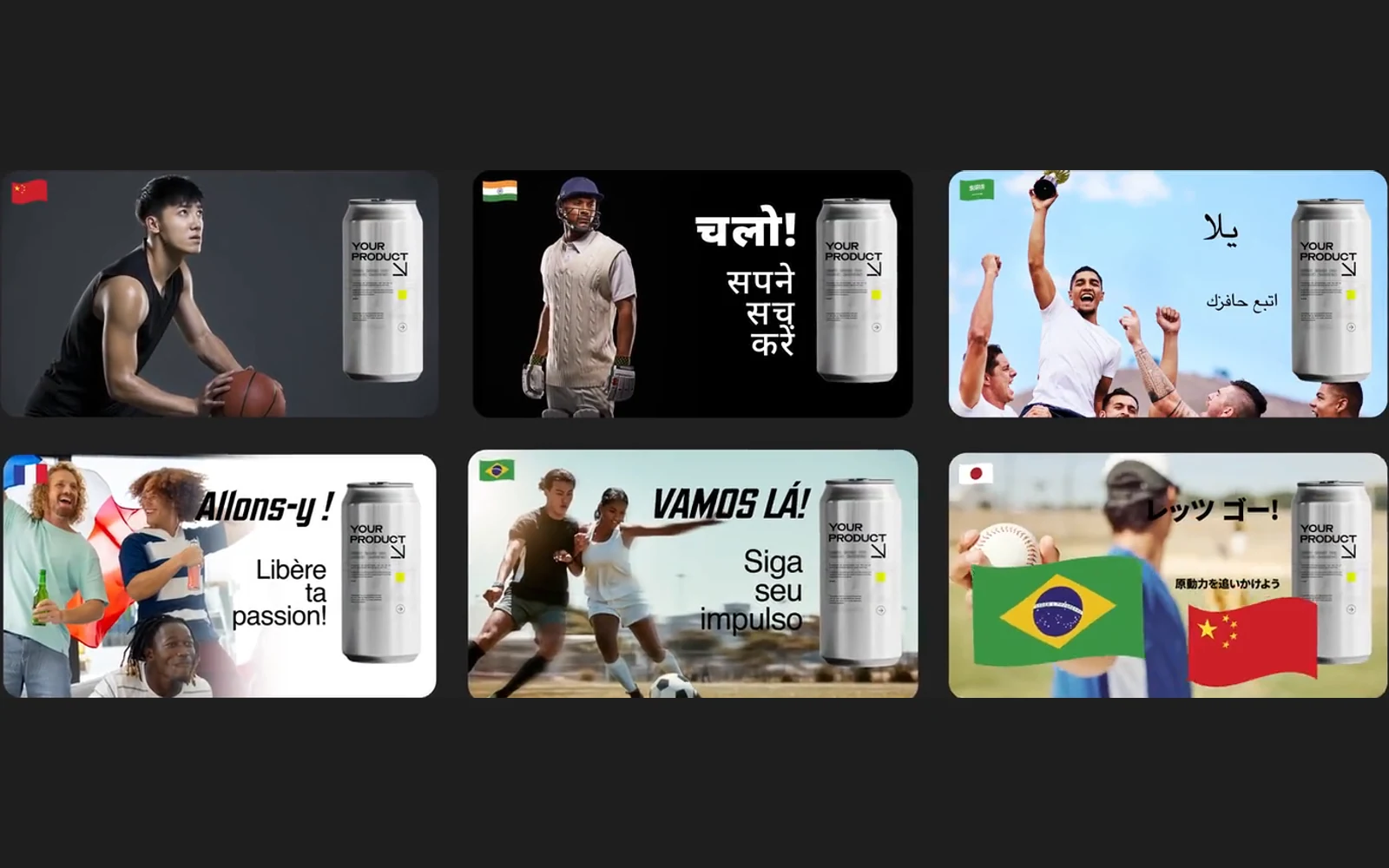
Watch the idea travel
One film. Different audiences.
The voiceover has changed. The film has not quite arrived.
A viewer hears a natural sentence in their language, then sees an English headline. A joke depends on a reference that does not travel. A translated phrase lands after the product has disappeared. The result is understandable, but it still feels imported.
That is a production problem as much as a language problem. A film joins words, voices, images, music and timing into one experience. Localisation has to respect those relationships.
We introduced Nativ Video at LEAP in Riyadh in September 2026. The starting point was a simple creative brief: take one master film into another market without losing the story or the brand.
Start with the film you actually made
A transcript gives you the spoken words. It does not, on its own, describe everything a viewer needs to understand.
Before localising, identify the parts carrying the message. There may be a narrator, several speakers, background music, product terminology, on-screen copy and graphics. Some are present in the finished video. Others are easier to work with in the editable source project.
That distinction helps choose the right surface. Use the dashboard’s media workflow for transcription, script localisation and dubbing. Use the After Effects plugin when the job also needs access to editable composition layers.
A finished MP4 and an After Effects project contain different information. We use each where that information is useful.
Let the script be reviewed before it is spoken
The first stage is to establish what was said. A transcript should be checked against the source before it becomes the foundation for another language.
Pay particular attention to product names, speaker changes, numbers and the opening and closing lines. A missing phrase at the start of a film can quietly change the meaning of everything that follows.
Then adapt the script with the target audience in mind. Brand voice, style guidance, glossary and translation memory provide context. A punchy product line should remain punchy; a careful explanation should remain precise.
Read the translated script as a piece of communication before judging it as audio. This gives reviewers a clear place to correct terminology or intent without generating another voice pass for every wording change.
A voice also has a job to do
The choice of voice changes the way a line is received. A presenter, a character and a product narrator call for different delivery.
Nativ supports preset voices and workflows for saved or original-speaker voices. When creating a voice from a speaker’s recording, use material you have permission to use and follow the consent requirements of that workflow.
For multi-speaker content, keep track of which translated turns belong to which voice. The listener should be able to follow the conversation without having to infer that two different people have become one narrator.
Voice selection is a creative decision. Listen to a short sample before committing a complete film.
Fit the performance to the edit
A new language will not naturally occupy the same time as the source. Some lines expand. Others get shorter. Pauses can carry meaning.
Nativ’s media workflows include timing and duration controls, along with options for preserving background music and ambience. These help place the adapted voice back into the film’s existing rhythm.
The important review happens with picture and sound together. Check whether a product line arrives while the product is visible. Listen across cuts. Check the final word before an end card. An audio file that sounds good on its own can still need a different phrasing when it meets the edit.
The interactive sample above lets you compare existing Nativ demo films. Switch languages and play the version you want to inspect. These are demonstration assets, rather than a promise that every source will produce the same result without review.
Walk through a first film
Choose a short, clear source with one speaker before moving to a complex conversation.
- Set up the workspace. Configure your target languages, brand voice, terminology and style guidance in Nativ.
- Open the media workflow. Sign in to the dashboard, provide your source audio or video and check the duration limits available to your account.
- Review the transcript. Correct source wording and speaker attribution before using it to prepare the target script.
- Review the adaptation. Check the target language for meaning, brand tone and phrases that need to fit a particular moment.
- Choose the voice and generate. Preview voices where available, then create the localised audio or dubbed result using the relevant timing and background options.
- Watch the result. Review the whole film. Use the editable project workflow for visual layers that also need to change.
Review the image as well as the words
On-screen text can carry the central promise of a campaign. If it stays in the source language, the film can pull in two directions.
The After Effects plugin extends the workflow into editable text, images and nested compositions. That gives the creative team a place to adapt the visual message alongside the soundtrack.
The goal is a film that feels coherent to its intended audience. The voice, the copy, the pacing and the image should all support the same idea.
Product references
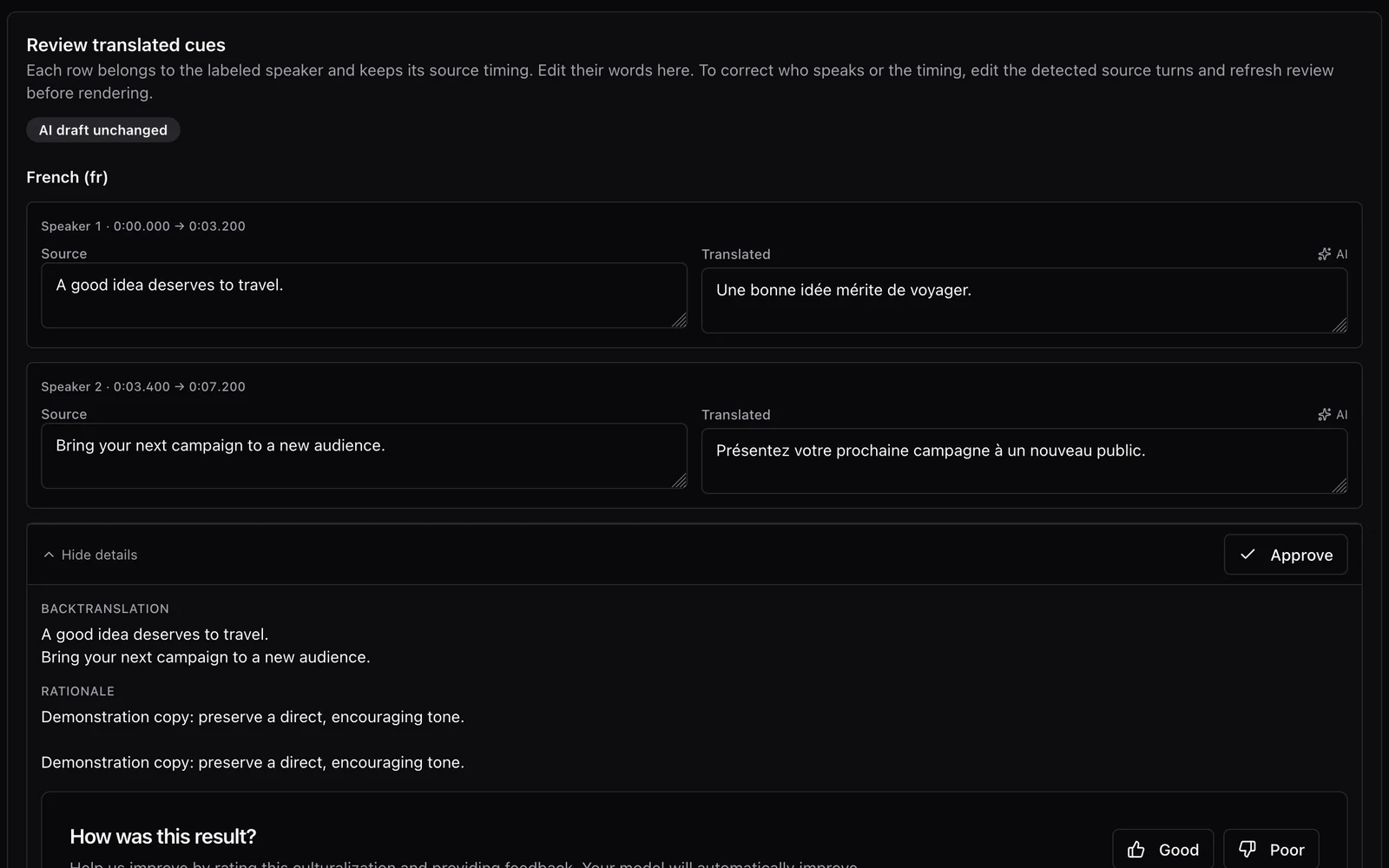
A conversation needs more than one translated voice.
Prepare speaker-aware dubbing with Nativ: inspect the transcript, assign voices, review translated turns and timing, and listen to the finished mix.
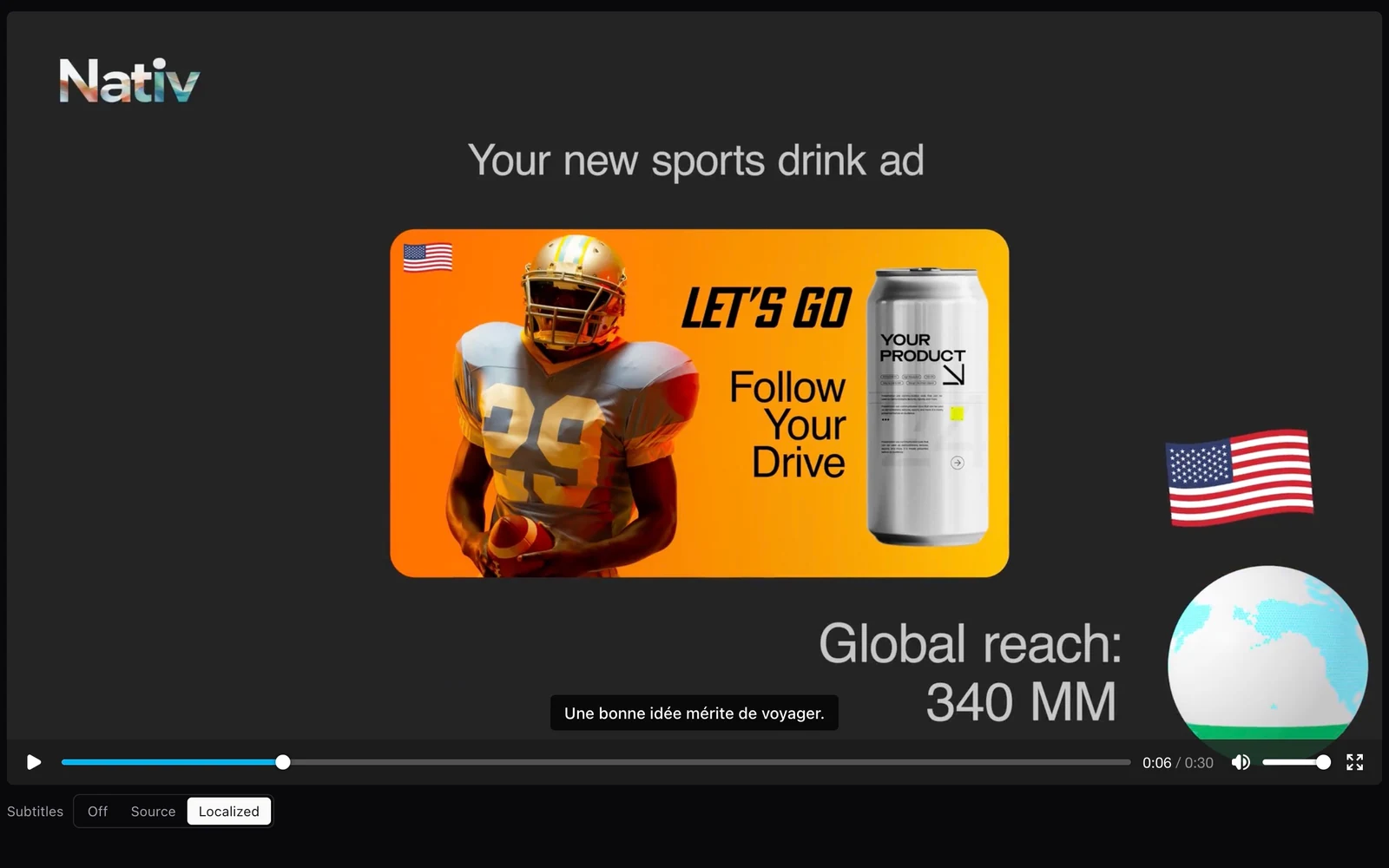
The last step is the subtitle file you can actually use.
Review translated subtitle cues, keep timing connected to the words, and export a regenerated SRT or ITT file after edits in Nativ.