The translation has to fit the page.
In a catalogue, a package or a comic, copy has a shape. A translation has to carry the meaning and live inside the design that gives it context.
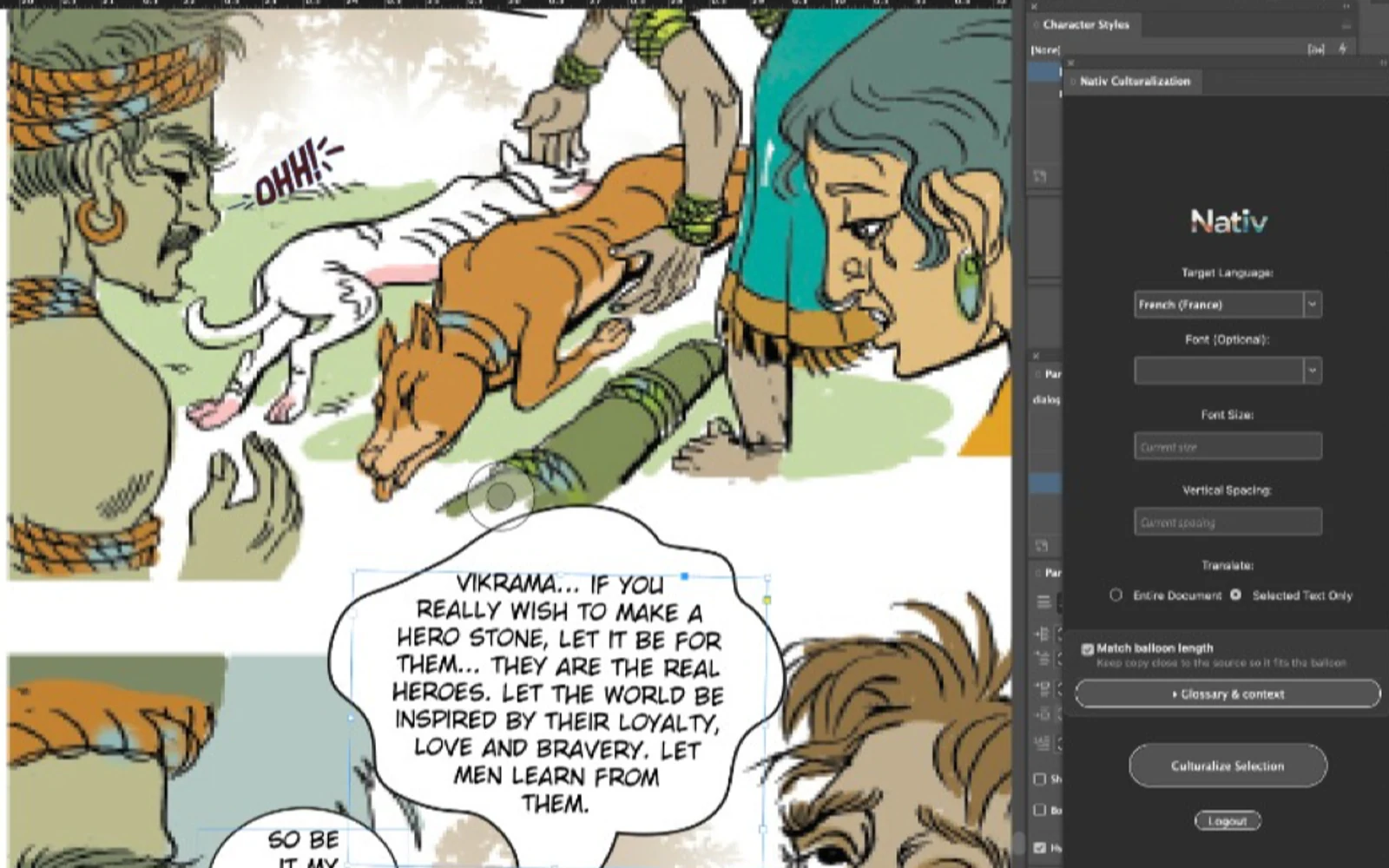
A speech balloon is a surprisingly demanding place to put a translation.
The speaker has a personality. The scene has a rhythm. The balloon has a fixed amount of room. A line can be linguistically accurate and still fail all three.
Publishing teams encounter versions of this problem everywhere. A catalogue description has to fit beside its product. A magazine headline has to work with its image. A packaging instruction has to remain readable in the available space.
Sending the words to a spreadsheet separates them from those constraints. The copy returns, but someone still has to put the page back together.
Nativ Layout Culturalization brings the localisation step into InDesign. It was first published on Adobe Exchange on 17 September 2026.
Keep the document in the loop
The plugin works on the active document or selected text. You choose the scope before culturalising, which makes it possible to test a paragraph, a page element or a larger document without treating every change as an all-or-nothing job.
Translations use your Nativ glossary, translation memory and brand voice. The panel also accepts a CSV glossary and extra context when the document needs more specific direction.
This is particularly useful in publishing, where the same ordinary-looking word can be a product term, a character’s name or a deliberate stylistic choice. The surrounding text provides context; the workspace supplies the decisions that should remain consistent across editions.
The result stays in the layout where a designer can judge it.
Length is part of the brief
Literal translation rarely preserves the length of the original line. That is not automatically a problem. Sometimes a longer phrase is the clearest way to carry the meaning.
It becomes a problem when the destination is a small text frame and the production workflow assumes the English copy will fit unchanged.
Nativ’s optional length matching asks for copy close to the source length. It is a useful constraint for balloons, captions, callouts and tight product descriptions. It is a starting point for fitting copy, rather than a guarantee that every result will occupy exactly the same geometry.
Character count is only one input to text layout. Different scripts, glyph widths, font metrics and line breaks can change the visual result. The final page still deserves a design review.
A translation can be correct in isolation and wrong for the space where it has to work.
Walk through a selected passage
For a first pass, choose a short passage with visible layout constraints. A heading and its accompanying paragraph make a better test than an entire publication.
- Install the plugin. Find Nativ Layout Culturalization on Adobe Exchange. The published plugin requires InDesign 20.0 or later.
- Open the document and sign in. Use the Nativ account containing the target languages and brand guidance for this publication. Available credits are required.
- Choose the target language. Review the optional font, size and leading settings, especially when changing scripts.
- Set the scope. Select Selected Text Only for the first test. Use Entire Document when you are ready to process a larger section of work.
- Add the brief. Enable length matching where it matters. Add a glossary or extra context for document-specific terminology and voice.
- Click Culturalize and review in place. Check meaning, line breaks, overset text and the visual hierarchy of the page.
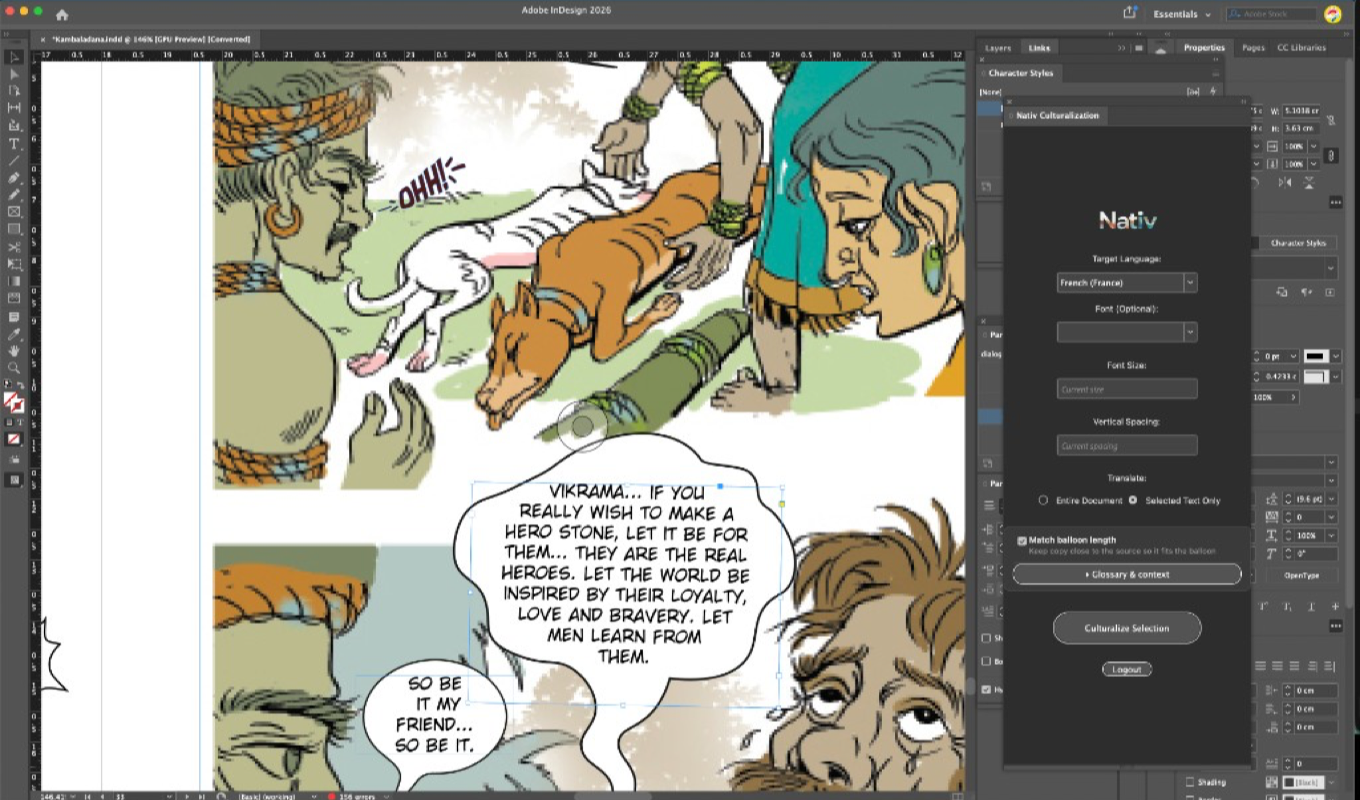
Review typography as carefully as terminology
A publication’s voice lives partly in its typography. A quiet caption should not become the most visually dominant element on the page because a replacement font has different proportions.
Check the glyphs first: are all the characters present? Then check font size, leading and the number of lines. Look for awkward breaks in names, headings and short display copy. Where the reading direction changes, assess the whole composition.
For comics, read the page in sequence. A translation can fit each balloon and still lose a character’s cadence across the exchange. For catalogues, compare repeated product terms across several pages. The unit of review should match the way a reader encounters the work.
Reuse what the team learns
A useful localisation process gets more consistent as the team makes decisions. Approved terminology, recurring phrasing and voice guidance should be available to the next document.
Using a Nativ workspace gives those decisions a place beyond the current file. It also connects publishing to other creative surfaces: a product name approved in a catalogue can inform the copy used in a campaign asset or an animated end card.
Start with one page, make the constraints explicit and review it in the layout. The next language edition should begin with more context than the last one.
Product references
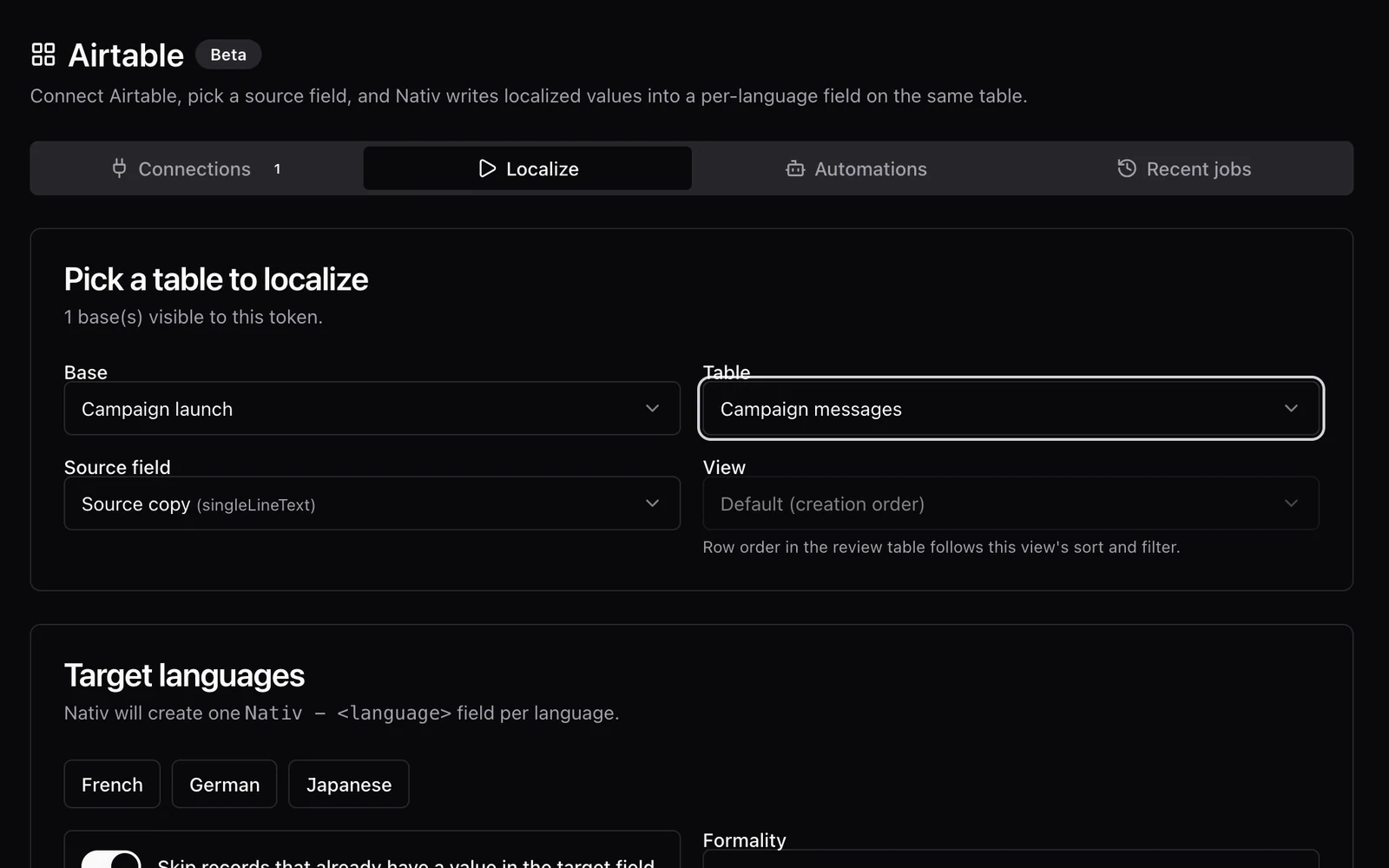
A translation should come back to the right cell.
Localise Airtable content with Nativ, inspect optional review tables, and apply reviewed translations to language fields in the source table.
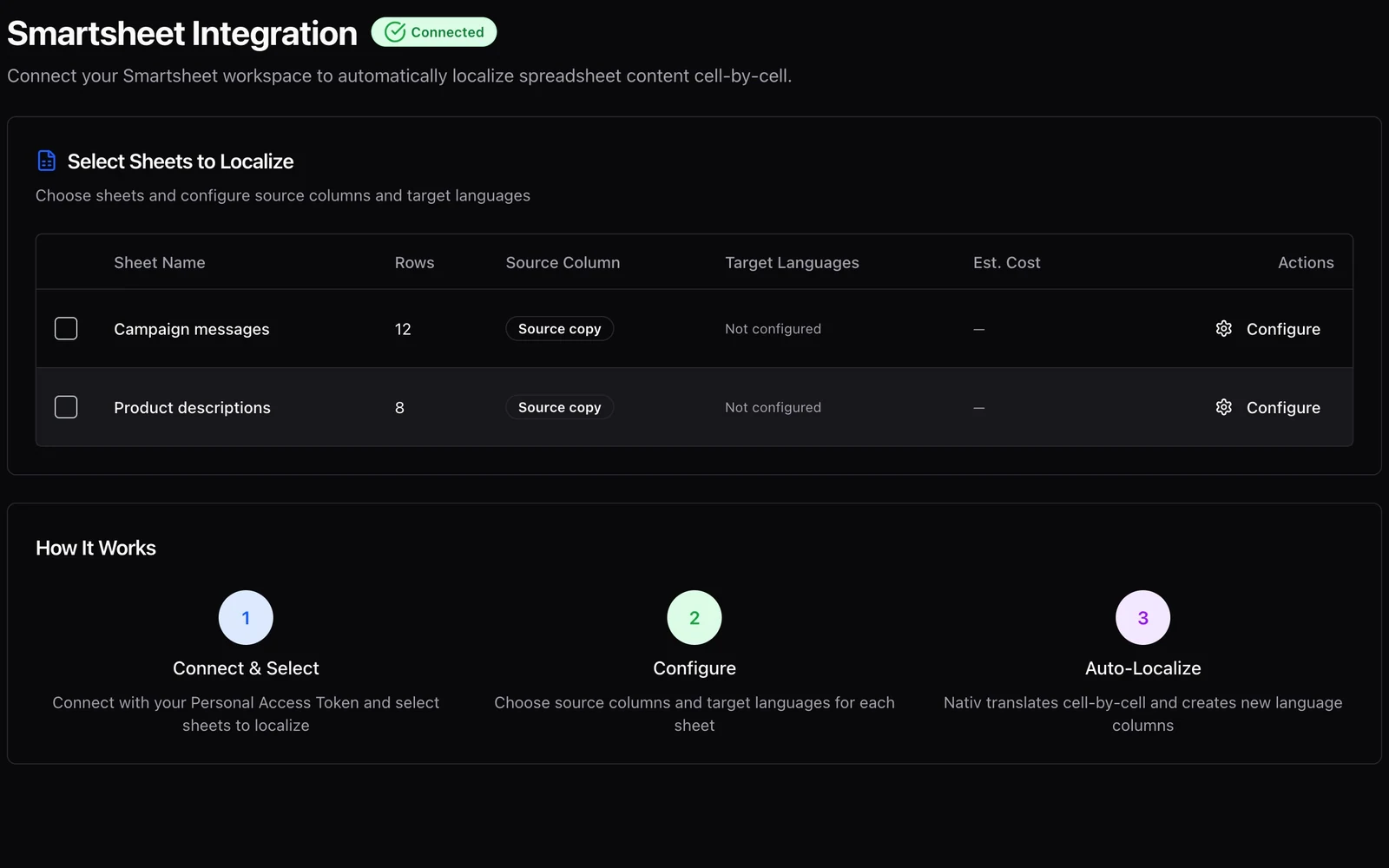
Keep the content plan and its languages together.
Use Nativ with Smartsheet to choose source columns, add target-language columns, and manage batch context without replacing the source copy.